
For your sales team.
Offers ready to discuss.
Find vehicles within your customer’s budget and compare calculated payments. Use moveretail to turn specific vehicle requests and general inquiries into a suitable choice of offers.

Turn customer preferences into a vehicle choice
Not every customer has chosen their next model. Start with the budget and refine the selection as the conversation develops.
Begin with the budget
Enter the monthly payment, down payment and vehicle preferences. moveretail searches your connected inventory and shows vehicles with suitable calculated terms.
Respond to changing requirements
A different term or down payment changes the monthly payment. Compare these options with your customers and adjust the choice of offers.
Make alternatives clear
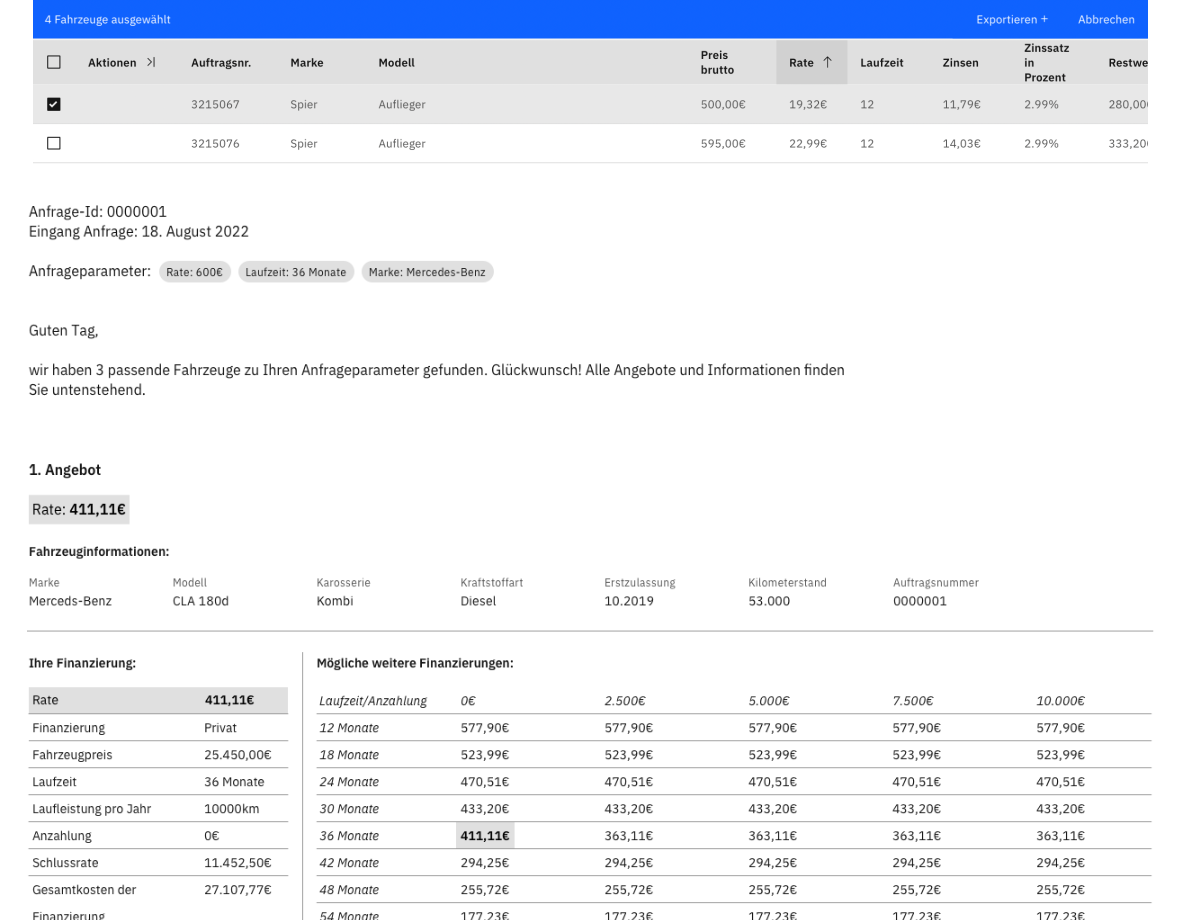
Present several suitable vehicles and their terms. An offer matrix shows how the contract length and down payment affect the monthly cost.
Modules for everyday customer conversations
Find vehicles, prepare offers and follow up on inquiries. These functions support you from the first customer request to sending the offer.
Campaigns & Tincar
Create Tincar campaign links
Set a budget and vehicle criteria for your campaign. Its link opens the Tincar mobile web app, where prospects swipe through suitable vehicles, save favourites as matches and send an inquiry.
- Campaign links and configurable messaging
- Mobile Tincar web app as part of the campaign
- From a personal selection to an inquiry

Extensions and interfaces are enabled according to your company configuration.
Vehicle search
Find vehicles by monthly payment
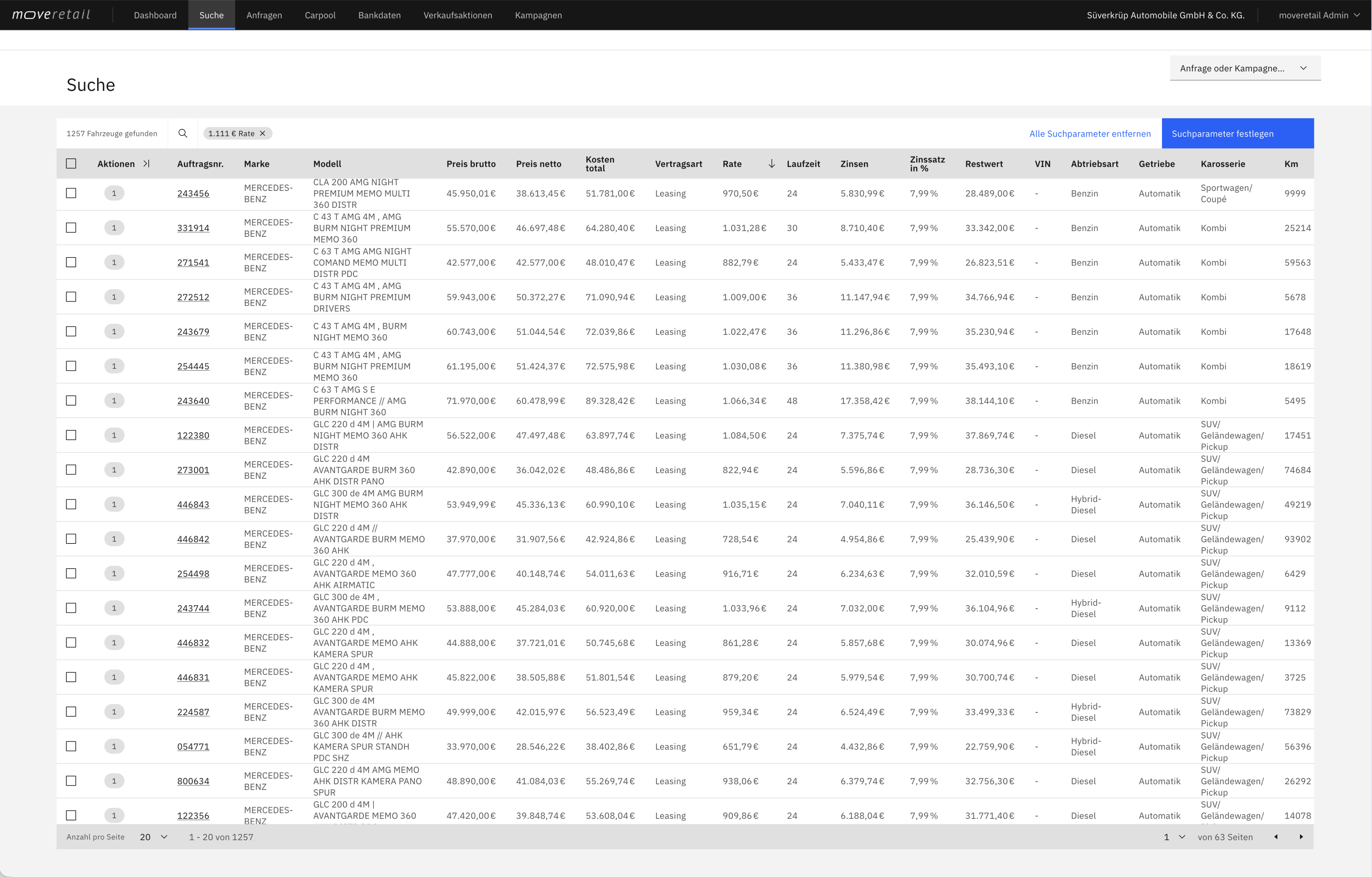
Search your connected inventory by customer budget, model and other vehicle preferences. Compare vehicles and terms that fit the desired monthly payment and contract length.
- Find vehicles that fit the desired monthly payment
- Compare how the term and down payment affect the monthly payment
- Calculate finance, leasing or subscription offers
Extensions and interfaces are enabled according to your company configuration.
Export & delivery
Create offer PDFs
Create vehicle and offer PDFs with a matrix of different terms and down payments. Give your customers specific alternatives.
- Export vehicle offers as PDFs
- Compare terms and down payments in a matrix
- Share vehicles and search results by link
Extensions and interfaces are enabled according to your company configuration.
Inquiry management
Handle inquiries as a team
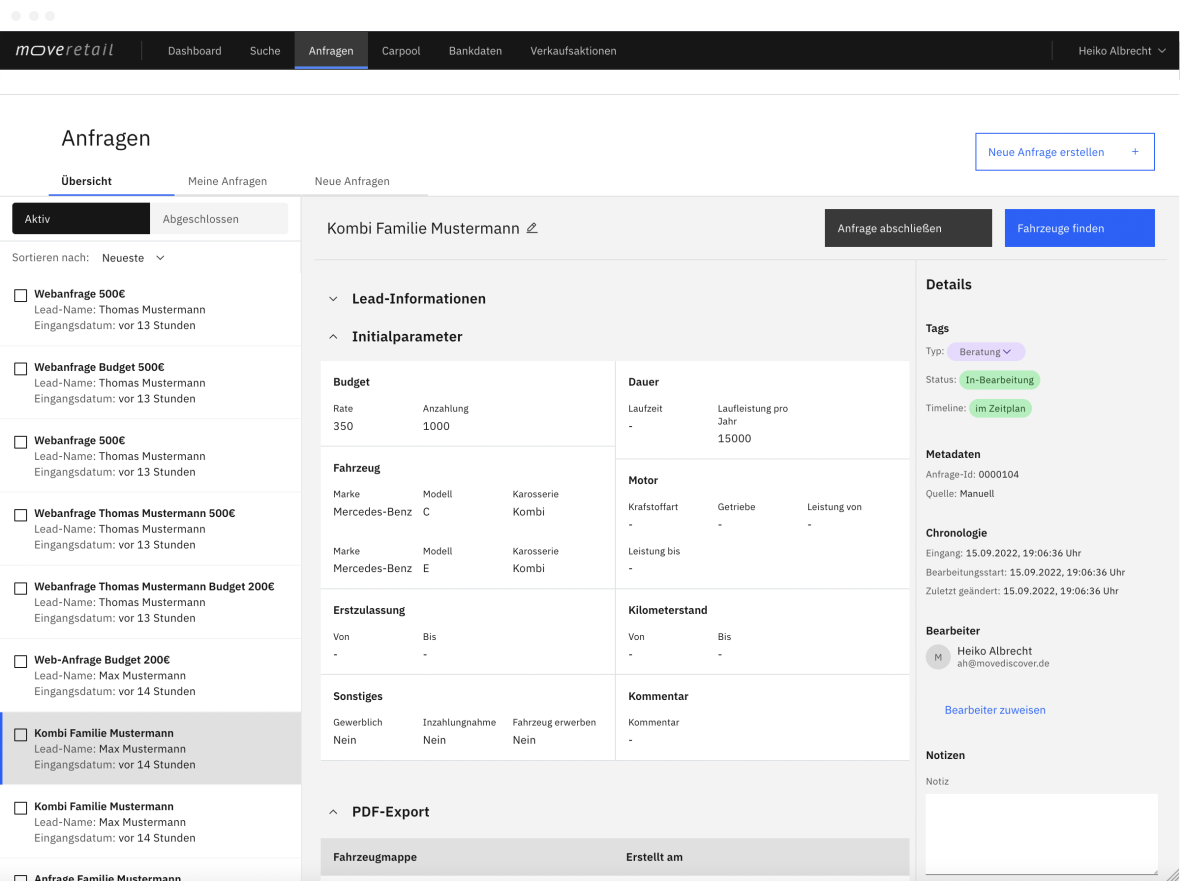
Assign inquiries across your team and track who is working on what. Status and activity provide a clear record of progress.
- Assign and claim inquiries
- Track status and activity
- New inquiry notifications
Extensions and interfaces are enabled according to your company configuration.
Turn a customer request into an offer
By phone, in the showroom or through a digital inquiry: start with the information your customer provides.
Capture the requirements
Start with a stock number, a preferred model or a monthly budget. Add the intended contract length, annual mileage and down payment.
Compare vehicles and payments
Discuss suitable vehicles from your inventory. Show how different contract lengths and down payments affect the offer.
Share the offer
Create a PDF with vehicle details and an offer matrix, or share vehicle and search links to help your customer decide.
Explore your next customer inquiry in a demo
See the process from budget search to a PDF offer. Discover how moveretail helps you find suitable alternatives during customer conversations.