
Sales managers.
Help your team prepare offers.
moveretail connects inquiries, inventory calculations and sales promotions. Your team can compare suitable offers while you keep track of ownership and progress.
Improve the quality of your team’s offers
Give your team a shared basis for customer advice. Bring the customer’s budget, available vehicles and sales promotions into the calculation.
Start with the customer’s budget
Monthly payment, contract length and down payment guide the selection. Your team can find suitable vehicles in stock, even when customer preferences are broad.
Make offers comparable
Compare vehicles alongside their calculated terms. Your salespeople can discuss alternatives and reflect changing customer preferences in the calculations.
Apply promotions where they fit
Assign your own and manufacturer promotions to suitable vehicles. These incentives are included in offer calculations and support your sales planning.
Modules for managing your team’s work
Assign inquiries, help your team compare offers and include your sales promotions. These modules support the process.
Campaigns & Tincar
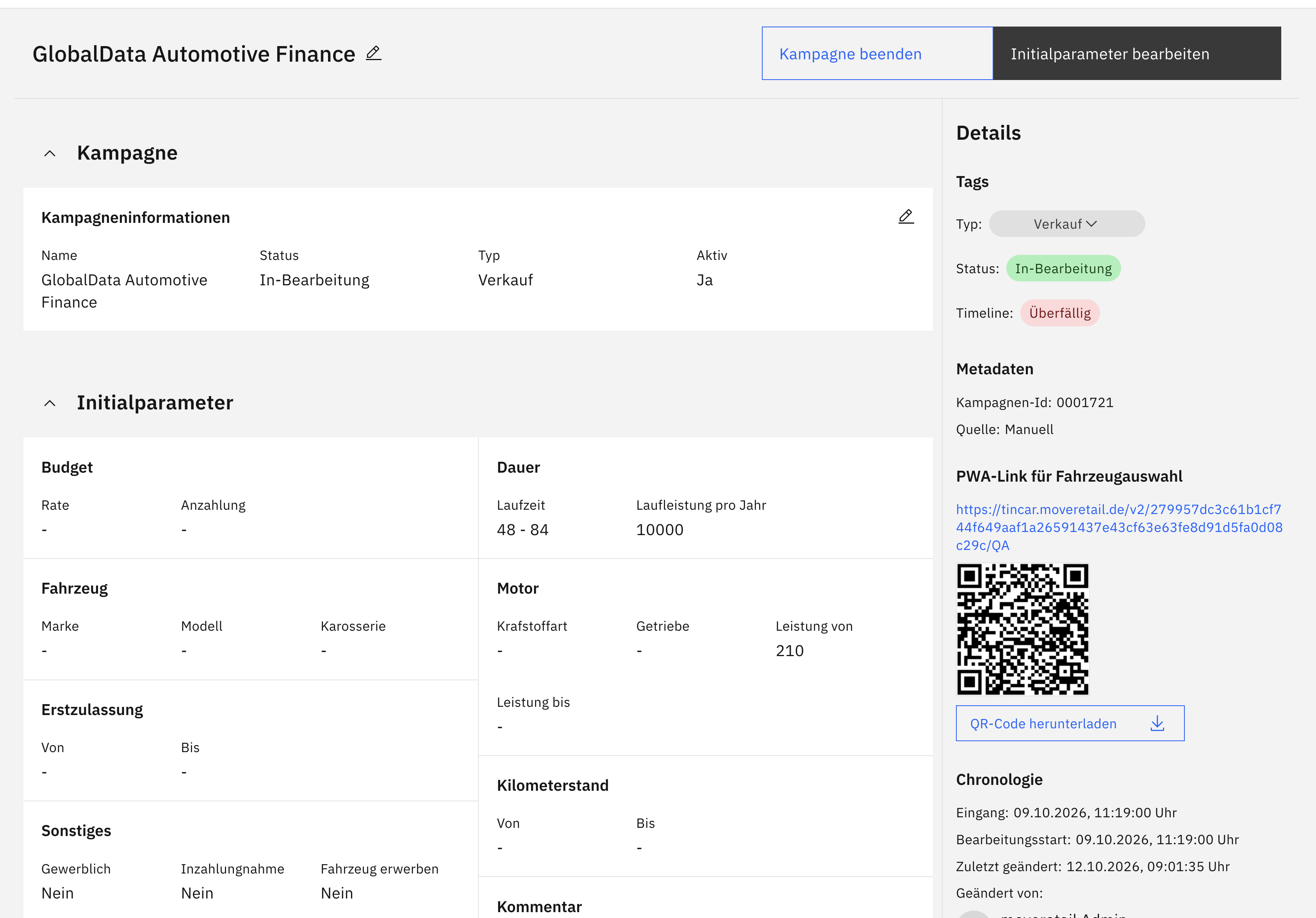
Create Tincar campaign links
Set a budget and vehicle criteria for your campaign. Its link opens the Tincar mobile web app, where prospects swipe through suitable vehicles, save favourites as matches and send an inquiry.
- Campaign links and configurable messaging
- Mobile Tincar web app as part of the campaign
- From a personal selection to an inquiry

Extensions and interfaces are enabled according to your company configuration.
Vehicle search
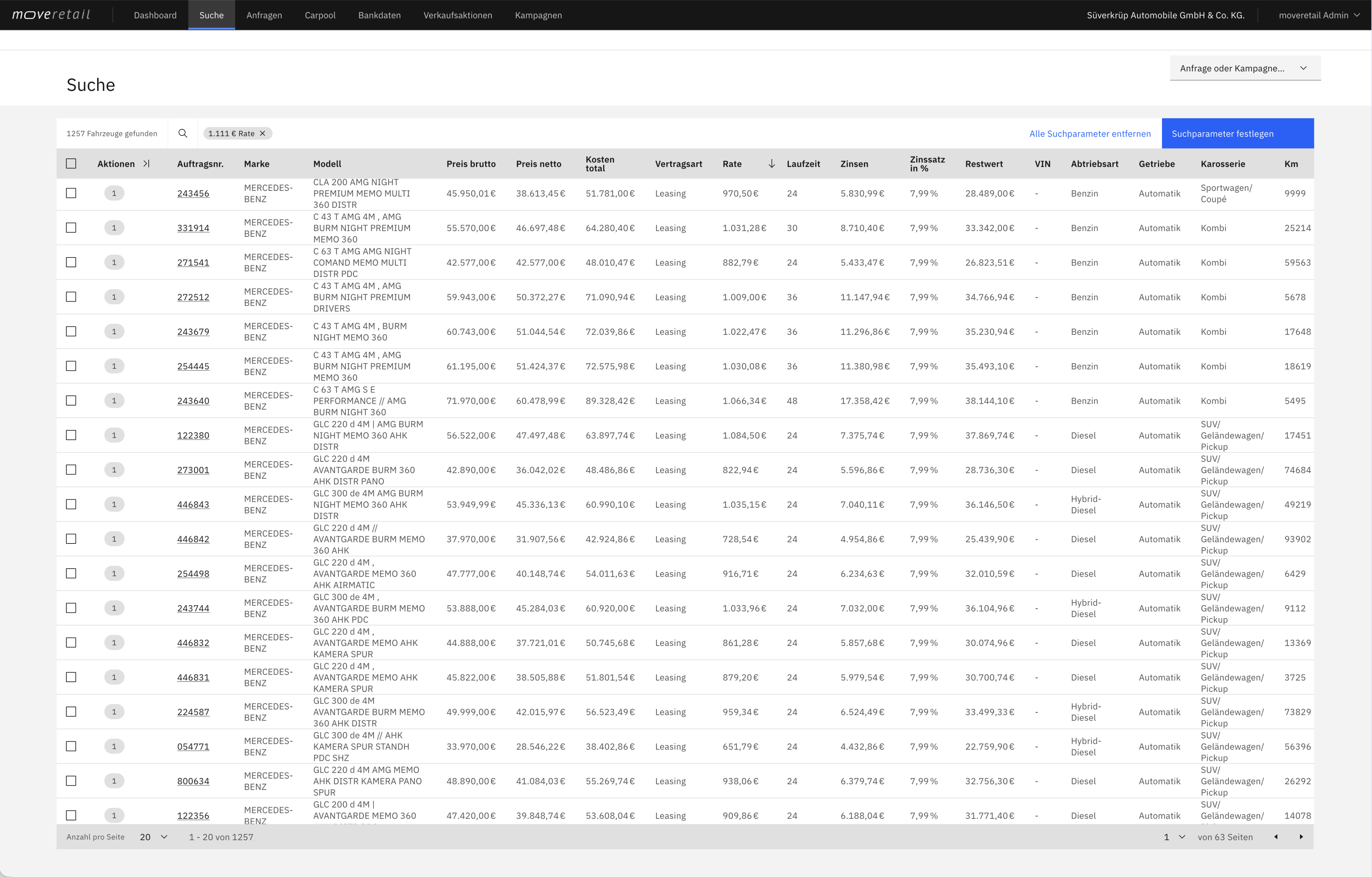
Find vehicles by monthly payment
Search your connected inventory by customer budget, model and other vehicle preferences. Compare vehicles and terms that fit the desired monthly payment and contract length.
- Find vehicles that fit the desired monthly payment
- Compare how the term and down payment affect the monthly payment
- Calculate finance, leasing or subscription offers
Extensions and interfaces are enabled according to your company configuration.
Inquiry management
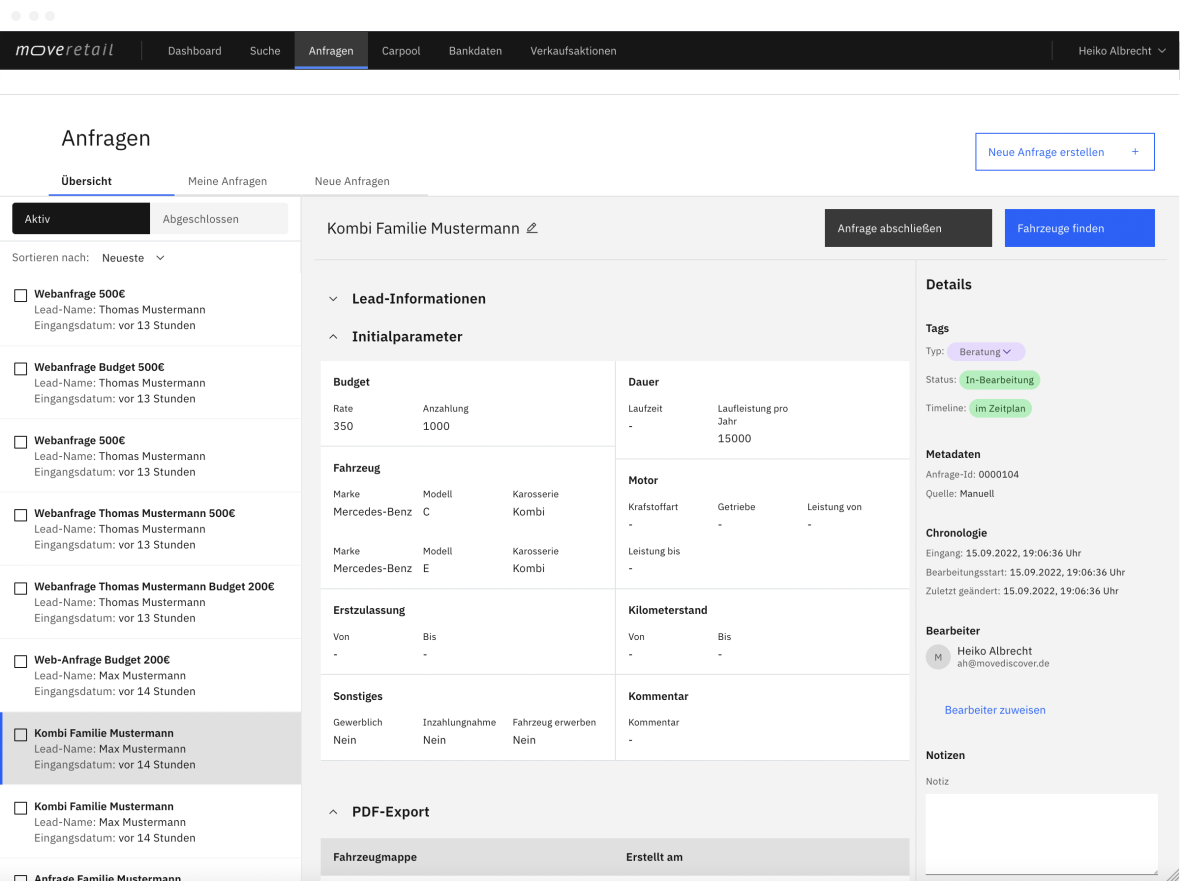
Handle inquiries as a team
Assign inquiries across your team and track who is working on what. Status and activity provide a clear record of progress.
- Assign and claim inquiries
- Track status and activity
- New inquiry notifications
Extensions and interfaces are enabled according to your company configuration.
Promotions
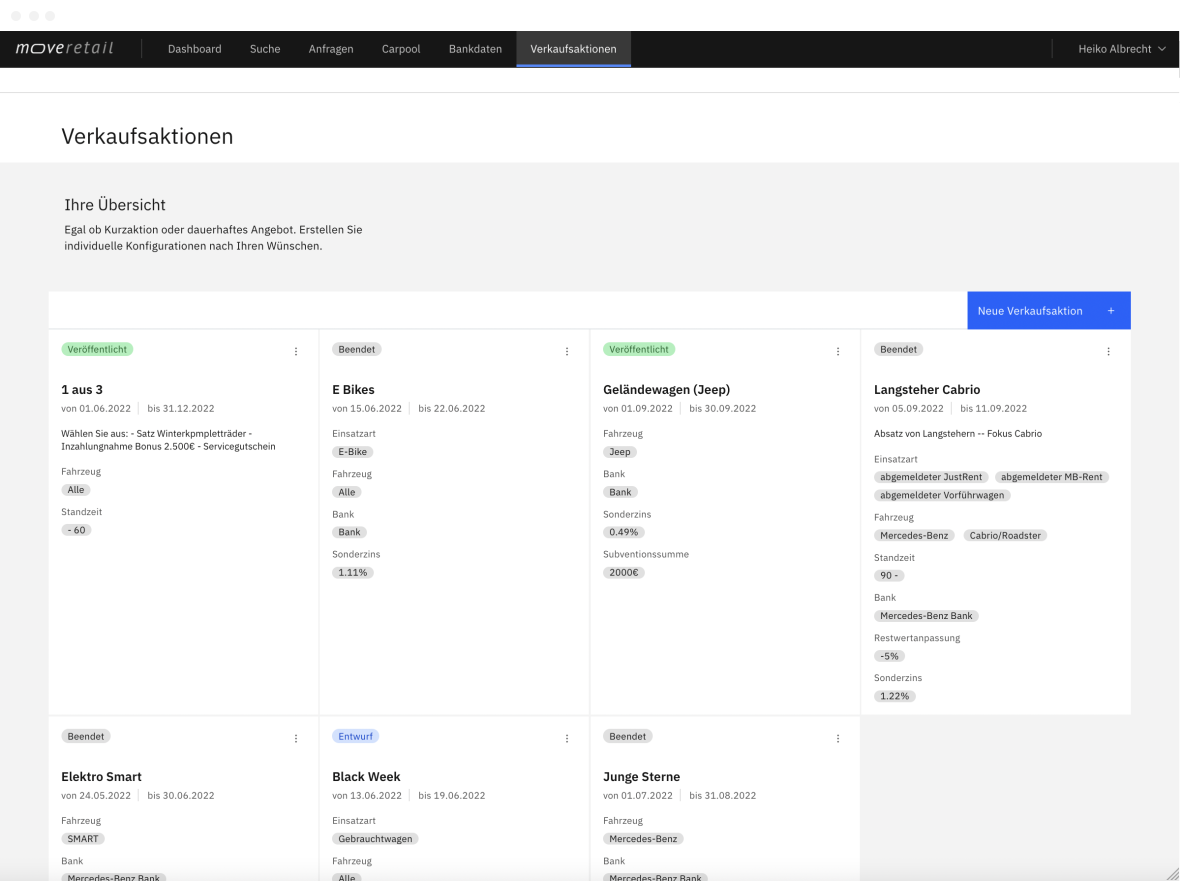
Apply sales promotions
Link individual or manufacturer promotions to matching vehicles. These incentives are included when calculating offers.
- Individual and manufacturer promotions
- Match to your inventory
- Included in calculations
Extensions and interfaces are enabled according to your company configuration.
Dashboard
Track inquiries and progress
Keep track of new inquiries, progress and inventory synchronization, with information suited to each role.
- Role-specific overview
- New inquiries and progress
- Inventory synchronization
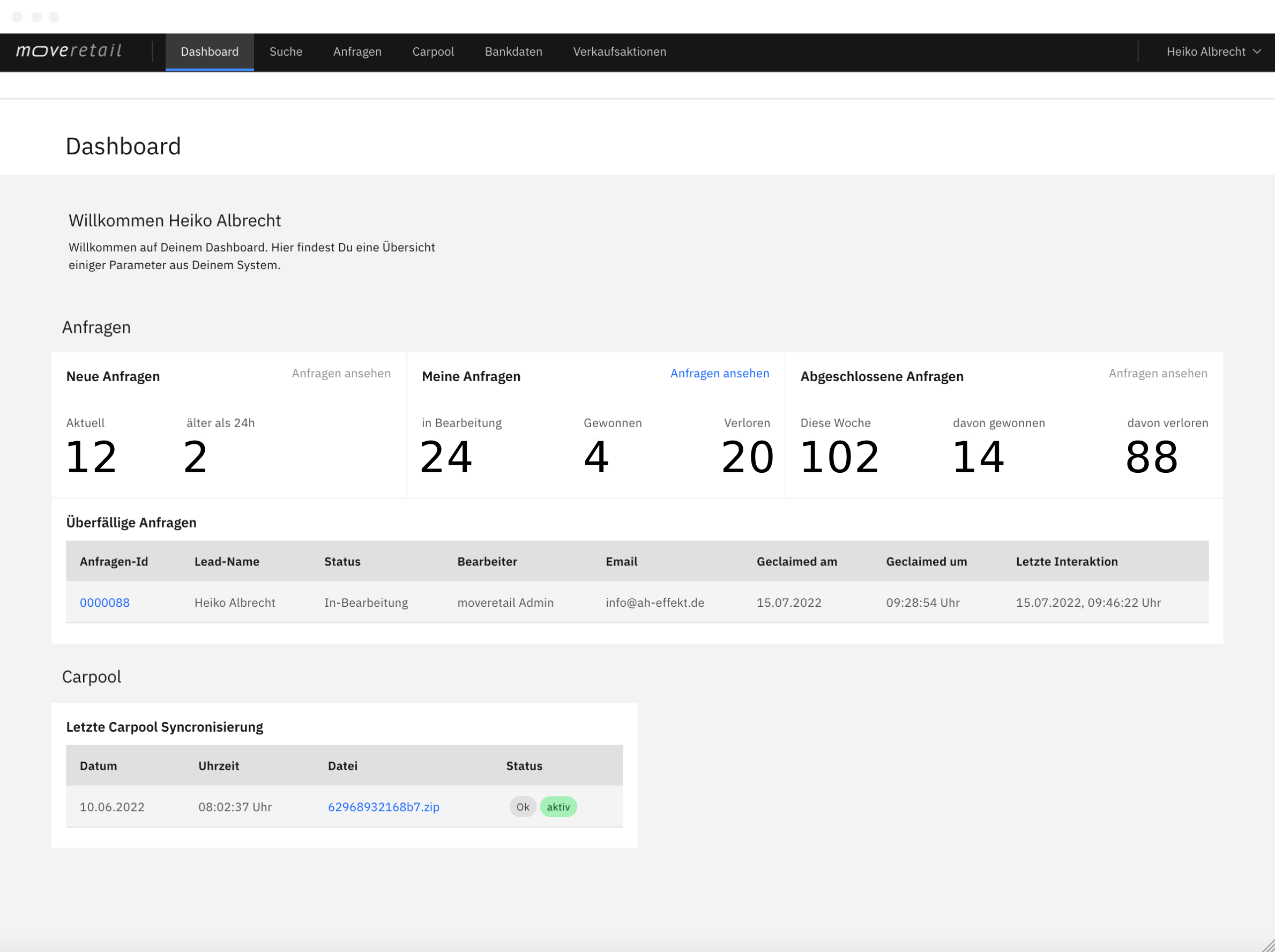
Extensions and interfaces are enabled according to your company configuration.
Move an inquiry forward as a team
Keep the work visible from assigning an inquiry to the next customer conversation.
Assign responsibility
Assign the inquiry to a team member. Customer requirements and the current status provide the starting point for the consultation.
Prepare a choice of offers
The team compares suitable vehicles and calculated terms. Configured sales promotions are included in the offers.
Follow the progress
Track the inquiry’s status and activity. See who is working on it and how far the process has progressed.
See your team’s sales process in a demo
Explore how inquiry assignments, inventory calculations and sales promotions work together. We’ll discuss how your sales team can use moveretail.